





1. Beyond the Mouse: The Rise of the “Environment-Aware” UI
By February 2026, the way we interact with data in Sector V or New Town has evolved beyond the constraints of a physical mouse. We are moving into the era of Multimodal Interfaces—systems that don’t just sit on a screen but actively sense the user’s environment and physical state to offer the most efficient “Mode” of interaction.
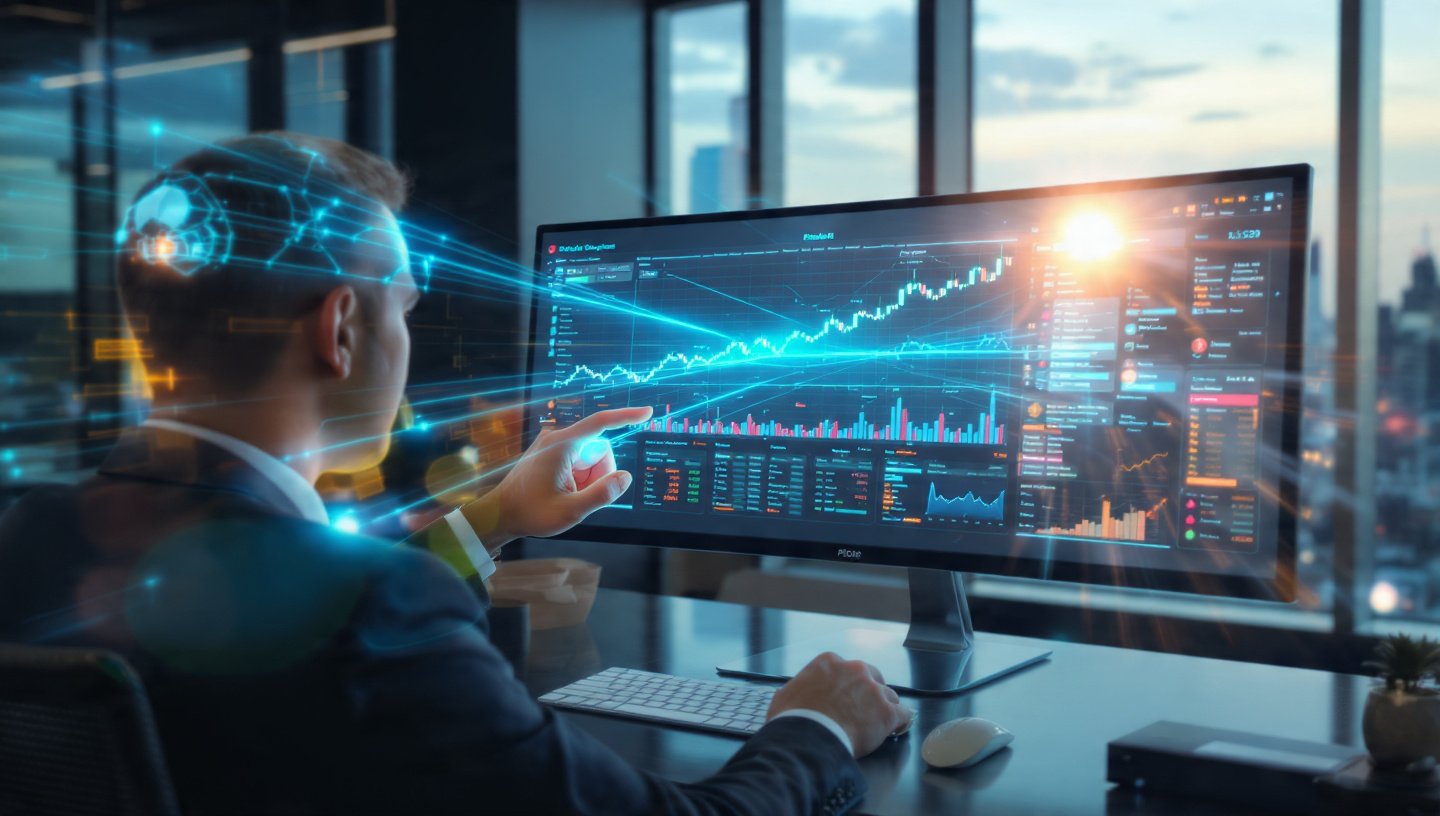
A custom dashboard built in 2026 doesn’t ask the user to adapt to the interface. Instead, the interface adapts to the user. If you are in a quiet office, it prioritizes Eye-Tracking and Touch. If you are driving on the MAA Flyover, it automatically shifts to Voice-Only. If your hands are full in a medical lab in Ballygunge, it responds to Air-Gestures.
2. The Trinity of Input: Voice, Touch, and Gaze
At our Alipore studio, we design the logic for these “Fluid Transitions” using three primary pillars:
- Gaze-Based Intent (Eye-Tracking): Using standard webcams and AI-driven gaze models, the dashboard knows exactly which chart you are looking at. It can pre-load detailed tooltips or “zoom in” on a data point just by seeing your eyes linger there for 300ms.
- Conversational Overlay (Voice): While your eyes identify the “What,” your voice provides the “How.” You look at a dip in the sales graph and simply say, “Show me the breakdown for South Kolkata,” and the UI transforms instantly.
- Haptic/Gesture Precision: For complex tasks—like reordering a supply chain map—the interface switches to touch or “Leap” style air-gestures for the precision that voice and gaze sometimes lack.
3. Context-Aware Switching: The “Dashboard That Knows”
The true magic of a 2026 custom build is Context-Awareness. The website uses your device’s sensors (light, noise, motion) to decide the UI state:
- High-Noise Mode: If the microphone detects the chaos of a Howrah Station commute, the site disables voice-input and enlarges touch targets to make them easier to hit while walking.
- Privacy Mode: If the front camera detects multiple people behind you in a Park Street cafe, the dashboard can “blur” sensitive financial figures, revealing them only when you look directly at them (Gaze-Locked Privacy).
- Fatigue-Adaptation: If the system detects “Eye-Strain” patterns (slow saccades or frequent blinking), the UI automatically shifts to high-contrast mode and offers to read the data summaries aloud.
4. Designing the “No-Reset” Flow
The biggest UX challenge in 2026 is ensuring “Seamless Mode Switching.” A user should be able to start an action with a Gaze, continue it with Voice, and finish it with a Tap without the system resetting or getting confused.
We implement a “State-Sync” Backend where the intent is preserved across modalities. For example:
- User looks at a specific ‘Pending Invoice’.
- User says, “Send a reminder…”
- User taps a ‘Confirm’ button that pulsates exactly where their gaze was already fixed.
5. Comparison: Fixed UI vs. Multimodal Adaptive UI
| Feature | Fixed UI (Legacy) | Multimodal UI (2026) |
| Input Method | Mouse / Keyboard only | Voice, Gaze, Touch, & Gestures |
| Environment Response | Static (Doesn’t change) | Adapts to Light, Noise, & Motion |
| User Load | High (User must navigate) | Low (UI brings data to focal point) |
| Accessibility | Limited to specific tools | Universal (Built-in for all abilities) |
| Interaction Speed | Reactive (Action -> Result) | Predictive (Gaze -> Pre-load) |
6. Use Case: The “Chowringhee” Stock Trading Firm
A high-frequency trading desk in Chowringhee needed a faster way to monitor global markets:
- The Solution: We built a custom multimodal dashboard. Traders use “Gaze-Highlighting” to track multiple tickers simultaneously.
- The Trigger: When they see a price drop, they use a “Voice-Shortcut” (“Buy 500 units”) which is instantly authenticated via Voice-Biometrics.
- The Result: The time-to-trade was reduced by 1.8 seconds—a lifetime in the trading world—leading to a significant increase in profitability.
7. FAQ: Implementing Gaze and Voice
- Q: “Does the webcam record my face?”
- A: No. In 2026, we use ‘On-Device Gaze Mapping.’ The raw video never leaves your browser; it is converted into ‘Coordinate Pixels’ locally, maintaining total privacy for Kolkata’s business owners.
- Q: “Is eye-tracking accurate on a laptop?”
- A: Yes. Modern algorithms can now achieve sub-20 pixel accuracy on a standard 720p webcam without needing specialized hardware.
- Q: “What if I look away for a second?”
- A: We use ‘Gaze-Smoothing.’ The UI ignores accidental glances and only reacts when your eyes ‘dwell’ on an element for a specific, configurable duration.
Conclusion: The Human-Centric Interface
In 2026, the best custom web design in Kolkata isn’t the one with the most “Features”—it’s the one with the most “Empathy.” By building multimodal dashboards, we are creating tools that understand the physical reality of the user. Whether you are sitting in a quiet cabin in Alipore or navigating the busy streets of Gariahat, your website should be your partner, not your obstacle.
At our Alipore studio, we design for the eyes, the voice, and the hand.
Is your dashboard still stuck in the “Mouse and Keyboard” era?
Let’s do a “Multimodal Workflow Mapping.” We’ll look at how your team actually works and design a custom interface that saves hours of “Micro-Friction” by letting them interact with data as naturally as they interact with the world.